
Quick Answer
Make the printer's 4×4 light grid match the same colors as the reference grid, then the green key card prints. There is no code to memorize: move the flashing cursor with the arrow pads, then press the center button to toggle the selected cell while your partner guides you. For the We Were Here Tomorrow Research and Development printer key card puzzle, you operate inside the printer as the small player.
The Research and Development printer grid, Research and Development green key card, and Research and Development 4x4 lights are names for the same puzzle and its reward. It takes place in Research and Development, where you need to be small enough to enter the 3D printer.
How do you solve the Research and Development printer grid?
Have the outside player compare the grids and call out edits while the small player moves the cursor and toggles cells inside the printer.
- Enter the printer as the small player. Your partner stays outside to guide the changes by comparing the printer's lights with the other visible grid.
- Check your directions together. Press a directional control and have your partner describe where the flashing cursor moved. Agree on what counts as up before following more movement calls.
- Move to a cell that needs changing. The flashing red light marks the cell you are editing. Moving the cursor selects a different cell.
- Press the center button to toggle that cell. Turn it on or off to match the corresponding reference light, then move to the next cell that needs an edit.
- Correct a wrong toggle at that cell. Press the center button again to undo the change, then move to the intended cell and toggle it.
- Finish matching the pattern. Completing the grid gives you the green key card.
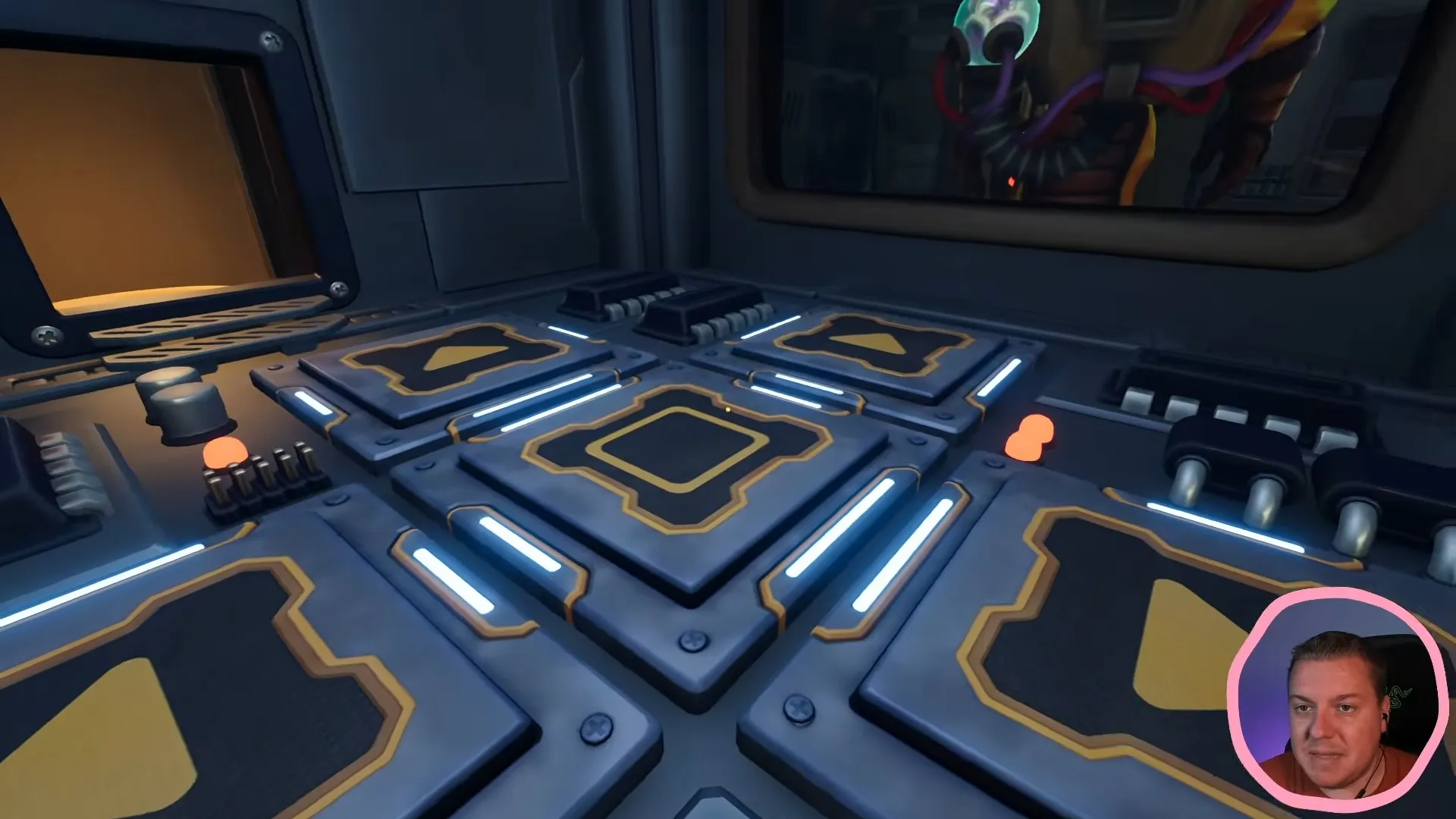
The printer controls are four arrow pads around a center button.
Shown at 92:31 in ZedaphPlays’s video.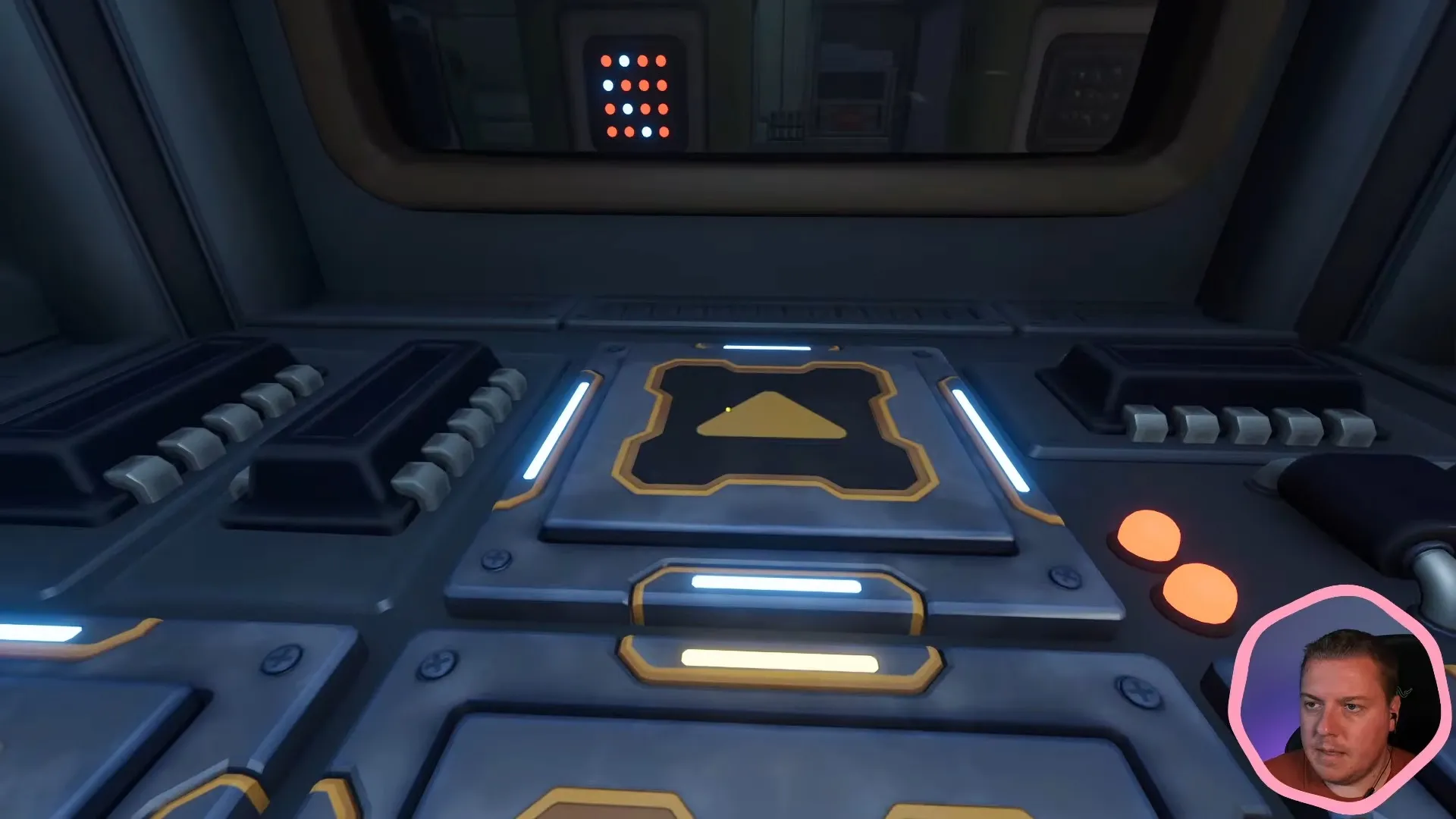
Through the window you can see a 4×4 panel of red and white lights to compare with.
Shown at 93:37 in ZedaphPlays’s video.Keep movement calls separate from button presses. Your partner can tell you where to move first, then when to press the center button, so a direction call does not become an unwanted edit.
The flashing light is your editable cursor, not a destination to chase. The center button changes the selected cell; it does not pick up a light to carry elsewhere. If you toggle the wrong cell, toggle it again before moving on.
Why is this called the printer grid, green key card, or 4x4 lights?
These names describe the printer's light controls and the card you receive for completing them.
- Research and Development printer grid: You edit a light grid at the 3D printer.
- Research and Development green key card: The completed puzzle gives you the green card needed at the locked prototype room.
- Research and Development 4x4 lights: The controls work on a four-by-four arrangement of lights.
Where do you take the Research and Development green key card?
Take the green key card back to the locked prototype room after returning to your larger size.
- Collect the card after completing the printer grid.
- Go through the teleporter to return to the size-changing machine.
- Have your partner enlarge you again.
- Bring the green card back to the locked prototype room.
You now have the card that room needs. Continue through Research and Development, or return to the puzzles when you reach another puzzle.